The 12-second scene both of your photos go into
Recognise the dance. Pick your pair.
Rumpelstiltskin Tiptoe Generator — Put Two People in the Dance
The Rumpelstiltskin tip toe generator on ai-rumpelstiltskin.video turns two adult photos into a 12-second, 720p barn-dance MP4 with template audio. One person dances; the other reacts. Play the clip labelled Template in Examples, then put your dancer in The Imp slot and your reacting friend in The Princess slot. No prompt needed.
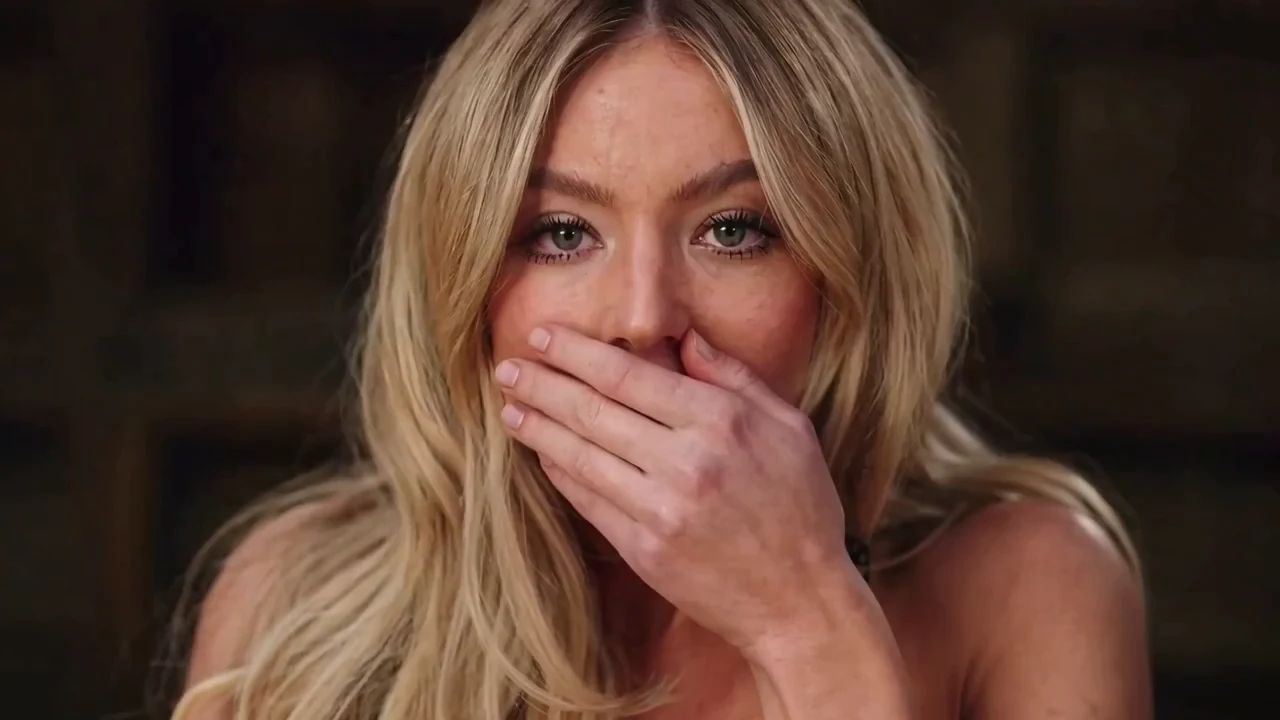
Rumpelstiltskin AI · Barn tiptoe duo
Your two people in a new barn dance video, with music
Cast your two people
The Imp
Shushes, grins and dances
The Princess
Gasps in the straw
Best results: one front-facing, full-body photo per person. Face clearly visible, whole outfit in frame, no one else in the shot.
- 12 seconds
- 1280×720 · 16:9
- Music included
- No watermark
Estimated cost100 credits
One-time purchase, no subscription needed. The photo check is free and you see the exact price before you pay. See video packs
By generating, you confirm both photos are of adults who agreed to appear, and no public figures. Terms · Responsible use
Output
A render from this generator: two photos in, this out
Samples are AI-generated. Hover or tap to play; tap “Muted” for sound.
Both photos are required. Use consenting adults with clear, uncovered faces. No minors or public figures. The photo check is free; rendering costs 100 credits, with a one-video pack at $8.90. Fixed 12-second tiptoe sequence: no turning straw into gold and no kiss ending.
- 2 photos, 2 roles
- No prompt
- 12 s · 720p · 16:9
- Music included
- No watermark
- From $8.90, one-time
- Failed renders refunded
Who Gets the Entrance, and Who Gets the Reaction?
The dancer gets the shush, grin and footwork. The person in the straw gets the surprised close-ups. Cast by what each person does in your joke, not by the character names. Either consenting adult can take either role.
♪
Explore tag on TikTokViral on TikTok · #tiptoeinginmyjordans
Trending TikTok Videos Driving the Meme
@6aimbot9
“The type of dreams I be having after dollar store melatonin”
@tip.toe.n.my.jordans
“When Dave Portnoy says one bite everybody knows the rules”
@ns7films
“Late night sneaking down for snacks in the barn”
@tip.toe.n.my.jordans
“When you didn’t hear someone say pwease”
You sneak in. Your friend catches you.
Put the friend with the questionable idea in the dancer slot. Give the “I knew you would” friend the reaction. Decide this before uploading so the punchline lands on the right face.
- The imp
- The one making an entrance
- The princess
- The one who notices
Reverse your usual roles
Let the quiet friend do the dramatic entrance and the outgoing friend react. The Imp and The Princess are scene labels; they do not restrict who you can cast.
- The imp
- Your unexpected dancer
- The princess
- Your surprised audience
Play both sides yourself
No second person available? Use two different photos of yourself. Pick a full-body photo for the footwork and a clear face for the reaction. Both upload slots still need a photo.
- The imp
- You making the bad decision
- The princess
- You watching it happen
The social clips above help you recognise the trend. For this tool’s actual inputs and complete outputs, watch the generator samples.
Is This the Tip Toeing in My Jordans Clip You Remember?
The “Tip Toeing in My Jordans” barn meme is the scene with a shushing dancer and a startled person in the straw. This player shows a 6-second trend excerpt for recognition. To check what your photos will go into, play the 12-second Template in the generator’s Examples tab.
- 2 photosOne for each role
- 12 secondsYour generated video
- 1280×720Your landscape download
- MP4Download format
- Audio includedTemplate soundtrack
- 100 creditsBoth roles together
Photo 1
The Imp → dancer
On this site, the first photo guides the entrance, shush, grin and footwork. Choose the face you want at the centre of the joke.
Photo 2
The Princess → reaction
The second photo guides two reaction close-ups. The seated person also appears from behind in wide shots; this is not a second dancing role.
Scene boundary
No gold or kiss
The clip ends after the dance with a final grin. It does not include turning straw into gold, a kiss or a longer fairy-tale ending.
What changes
Your cast, the same routine
No prompt is needed. You cannot choose new moves, add a third person or change the barn through this generator.
Independent fan-made tool: ai-rumpelstiltskin.video is an independent fan-made tool. It is not affiliated with the creators of the original AI clip, Riff Raff, or the rights holders of the 1987 film. Music and original footage belong to their owners.
Specs on this page describe ai-rumpelstiltskin.video, not every tiptoe tool or the full original story. For the source of the meme and its music, see the origin guide and song guide.
Will My Photos Change the Faces, Clothes and Shoes?
Your photos guide each performer’s face, hair, build and clothing; the fixed clip guides the scene and movement. Exact likeness, outfits and motion can vary. Choose this two-photo workflow for a familiar pair in the barn, rather than a new dance or an exact clothing showcase.
The dancer’s reference
Show the shoes you want in the footwork
A headshot gives the model a face but no reference for the rest of you. A clear standing photo with your outfit, hands and shoes visible gives it more to work with. Keep the face large enough to recognise; exact clothes, sneaker logos and laces are not guaranteed.
- ✓One person facing the camera
- ✓Whole outfit and both shoes in frame
- ✓Even light across the face
✦Template
A sample render. AI-generated people.
The reaction’s reference
Give your friend the gasp, not a second dance
The template gives the reacting person two close-ups, rather than equal dancing time. Choose a clear, front-facing photo for those expressions. In wide shots, the seated character is seen from behind and can retain the template’s hair; a matching hairstyle in every angle is not guaranteed.
- ✓The Princess slot supplies the reaction
- ✓Face visibility matters more than pose matching
- ✓Either adult can take this part
✦Template
AI-generated example of the two-person scene. Results vary with the input photos.
Before you share
Keep the reaction and the feet in the frame
The download is landscape. When posting in a portrait layout, fit the full video on the canvas in your editor and preview each cut. A centre crop can remove the seated friend or the dancer’s feet. Keep your caption away from the faces and footwork.
- ✓12-second, 720p MP4
- ✓Template audio included; no watermark
- ✓Add captions after downloading
✦Template
Sample preview. For complete outputs and both input photos, see the samples below.
How to Use the Rumpelstiltskin Tip Toe Generator
01First · Recognise it
Play the Template clip first
Confirm the barn, shush and tiptoe are the version you remember. Watch through the final grin. If you want a gold transformation or a kiss, this fixed template will not produce that ending.
✓ Watch all 12 seconds✓ Check the ending✓ Listen to the included audio
02Next · Cast it
Fill the dancer and reaction slots
Upload your dancer to The Imp and your reacting person to The Princess. One adult per image. Use the swap control before generating if they are reversed, then check the two thumbnails again.
✓ The Imp = dancer✓ The Princess = reaction✓ Both slots required
03Then · Make it
Check the photos, then generate
Confirm both adults agreed to appear. Sign in and add credits if needed; the price appears before payment. One video uses 100 credits for the pair. Queue and rendering times vary; you can return to My Videos later.
✓ Photo check is free✓ Rendering is paid✓ No subscription
04Finally · Keep it
Review the moving faces and feet
Compare the complete output with both input photos. Pay attention to the shush, the reaction and the low footwork shots. Download the MP4 when ready, then add your caption in an editor or social app.
✓ Inspect hand overlaps✓ Check both likenesses✓ Preview with sound
You Dance or Your Friend Dances: What Actually Changes?
In the Rumpelstiltskin tip toe generator, swapping roles swaps the photo assigned to each part. It does not reverse the video, create new choreography or make both people dance. Use this map before spending credits.
Swipe to compare the two casting choices →
| Part of the scene | You in The Imp slot | Friend in The Imp slot |
|---|---|---|
| Entrance, shush and grin | Your photo guides the dancer | Your friend’s photo guides the dancer |
| Reaction close-ups | Your friend fills The Princess slot | You fill The Princess slot |
| Tiptoe feet | Your dancer photo guides the shoes and outfit | Your friend’s dancer photo guides the shoes and outfit |
| Seated person from behind | Template hair may remain | Template hair may remain |
| Moves, barn and ending | Same fixed sequence | Same fixed sequence |
| Cost after a finished render | Another generation uses another 100 credits | Another generation uses another 100 credits |
Changing the slot assignment before rendering does not start a second video. Changing who plays a role in an already finished MP4 requires a new generation.
Choose Photos for the Shots Each Person Will Get
Use JPG, PNG or WebP, under 4 MB, with at least 320 pixels on the shortest side. File acceptance is only the first check: a photo can pass and still give an uneven likeness during motion.
Photo 1 · The imp
Dancer: face, hands and shoes visible
Choose a standing, front-facing photo with enough detail to recognise the face. Keep hands empty and the whole outfit in frame. Avoid a distant full-body shot where the face is tiny.
- ✓One adult in the frame
- ✓Uncovered eyes and mouth
- ✓Shoes inside the image
Photo 2 · The princess
Reaction: a sharp, unobstructed face
Use a front-facing waist-up or full-body photo in even light. You do not need to pose a gasp; the template supplies the action. Avoid hands over the mouth in your input so the face is clear before animation.
- ✓Face easy to recognise
- ✓No sunglasses or deep shadows
- ✓No need to copy the reaction pose
Photos that fail
Replace a weak photo before paying
If a check flags blur, darkness or more than one face, choose a different image. Do not repeatedly submit the same problem photo. Heavy filters, extreme side angles and a covered face make likeness harder to preserve.
- ✕Choose a sharper original
- ✕Use one person per photo
- ✕Only consenting adults
Two Input Photos, Two Roles: Watch the Complete Results
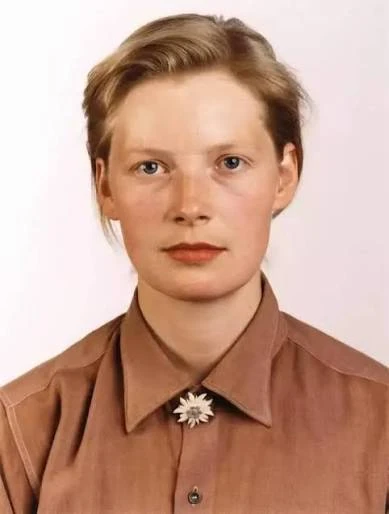
Start with the photos labelled The Imp (Photo 1) and The Princess (Photo 2), then watch each complete 12-second sample. Compare the dancer with Photo 1 and the reacting person with Photo 2. These are AI-generated demonstration subjects, not customer testimonials.
12 seconds1280×720 · 16:9Music includedNo watermarkH.264 MP4
✦ 2 Uploaded PhotosInput Source
01

02
→Sync
↓
Two adults → the barn tiptoe
● No watermark720p · 16:9 · 12 s · Music included · No watermark
🔍 What to inspect: Check both faces during the “shhh” close-up and the princess’s reaction. Look for likeness changes, hand overlaps and unstable edges before sharing.
⚠️ Honest limits: A hand crossing a face, fast turns or a difficult source photo can affect likeness. Check both faces and the footwork throughout the clip. Sample outputs show individual results; they do not establish a success rate or guarantee your result.
AI-generated adults · 16:9 · Results vary with the photos.
Where to Pause the Samples Before Making Yours
These checkpoints follow this site’s 12-second Template clip, not the 6-second trend excerpt. Compare each input photo with the corresponding person in the complete sample outputs. Inspect the moving result; these are places to check, not measured failure rates or a guarantee of likeness.
About 1.1–2.0 s
The shush: finger meets face
Compare the dancer’s eyes and mouth with Photo 1. A finger crossing the lips can soften facial details or create unstable edges. A sharp, unobstructed input gives the model a clearer reference.
- ✓Watch the mouth outline
- ✓Check the finger overlap
About 2.0–2.6 and 3.2–3.9 s
The reaction: check Photo 2
The seated person appears in two reaction close-ups: a hand over the mouth, then a gasp. A dancer close-up separates them. Compare these two shots with the photo currently assigned to The Princess slot.
- ✓Compare with the second input
- ✓Watch the eyes and hand
About 0–1.1 and 3.9–6.0 s
Wide shots: the back-view limit
The dancer is replaced in these shots while the seated person faces away. The seated character may keep the template’s hair from behind. Swapping roles does not remove this limitation.
- ✓Check the dancer’s proportions
- ✓Expect possible back-view mismatch
About 7.2–8.8 and 9.9–11.4 s
The feet: inspect the tiny steps
Watch shoe shape, ankles and contact with the floor. Fine footwear details can shift between frames. A full-body source is useful, but this is not an exact sneaker or clothing showcase.
- ✓Check moving feet, not one frame
- ✓Look for changing shoe details
Before another render
Change the input that needs help
If only the dancer looks weak, try a clearer dancer photo. If the reaction looks weak, replace Photo 2. Failed renders return credits automatically; for a clearly broken completed result, contact support before buying another attempt.
- ✓Keep the role assignment deliberate
- ✓Review the complete download
Before you generate: The Rumpelstiltskin tip toe generator uses the same fixed scene for every cast. No custom dance, gold transformation, kiss ending, 1080p option or native vertical export.
Product details checked October 15, 2026 against the current template, upload limits and credit packs. The time ranges identify shots in the Template player; they are approximate inspection checkpoints, not quality scores. About this site · Pricing · Report an issue.
🔥Pricing
One Render Covers Your Dancer and Your Reaction
Choose a pack for the number of videos you want. Each two-person video uses 100 credits. Photo checks are free; rendering is paid. A new cast or a swapped version needs another generation.
Secure Stripe CheckoutCredits NEVER Expire — Use AnytimeZero Subscription · No Auto-RenewalsFailed Renders Automatically Refunded100% Clean Exports with No Watermarks
TRIAL PACK
Starter Pack
Perfect for trying the tiptoe meme once with your best friend.
$8.90
1 AI Video100% Watermark-Free
$8.90 per finished video
- 1 Rumpelstiltskin AI video: 12 s, two people, with music
- 720p HD, 16:9 MP4 (1280×720)
- 100% watermark-free, clean social export
- Imp and princess both rebuilt from your two photos
- Credits never expire — render whenever ready
- Instant automatic refund if rendering fails
- Check render progress in My Videos
Charged once · No auto-renew · Instant activation
⭐ PACK VALUE
⭐ PACK VALUE
Value Pack
SAVE 44% vs StarterBest for the group chat: one video for every friend, couple or coworker.
$24.90$44.50
5 AI Videos100% Watermark-Free
Only $4.98 per video (vs $8.90 Starter · Save $19.60)
- 5 Rumpelstiltskin AI videos: 12 s each, two people, with music
- 720p HD, 16:9 MP4 (1280×720)
- 100% watermark-free on all 5 downloads
- Swap the roles and make it again from the same photos
- Credits NEVER expire — use over days or months
- Instant automatic refund on any failed job
- Email support
Save $19.60 vs single-video pricing
CREATOR & MEME PAGE BATCH
Creator Pack
SAVE 66% vs StarterBuilt for TikTokers, meme pages and anyone posting a new pair every day.
$59.90$178.00
20 AI Videos100% Watermark-Free
Just $3.00 per video (Pack pricing · Save $118.10)
- 20 Rumpelstiltskin AI videos: 12 s each, two people, with music
- 720p HD, 16:9 MP4 (1280×720)
- 100% watermark-free batch downloads
- The posting guide: adding the trending sound in TikTok and Reels
- Credits NEVER expire — perfect for trend batches
- Instant automatic refund on any failed job
- Email support
Lowest per-video cost · Save $118.10 total
💡 10-SECOND QUICK RECOMMENDER
Not sure which pack fits your need? Tap below to select:
SECURE STRIPE CHECKOUT
💳 Visa💳 Mastercard💳 American Express🍎 Apple Pay🌐 Google Pay🔒 Payments processed by Stripe
Need the Sound, the Backstory or More Help?
Rumpelstiltskin Tip Toe Generator: Before You Upload
Which photo goes where, what swapping changes, and what to expect from this site’s fixed tiptoe clip.
How do I make the Tip Toeing in My Jordans meme with my photos?
On ai-rumpelstiltskin.video, preview Template, upload one adult photo to The Imp for the dancer and another to The Princess for the reaction, then confirm consent and generate. Both photos are required. One render uses 100 credits and produces a 12-second, 720p landscape MP4 with template audio.
Which photo makes me the dancer?
The photo in The Imp slot guides the dancer: entrance, shush, grin and footwork. The Princess slot guides the reacting person in the straw. Check the thumbnails before generating; either consenting adult can take either role.
Will both of us dance or get equal screen time?
No. In this site’s template, The Imp performs the dance and The Princess gets two reaction close-ups. The seated person also appears from behind in wide shots. Swapping photos reverses who plays each part; it does not create two dancers or equal screen time.
Can I swap who dances after uploading?
Yes. Use “Swap the two roles” before generating, then check the thumbnails. If your video is already finished, a reversed cast needs a new generation and another 100 credits. The swap control does not edit a downloaded MP4.
Can I use one photo or leave the reaction unchanged?
ai-rumpelstiltskin.video requires both photo slots. To play both parts yourself, use two different photos of yourself. This tool has no single-photo mode that keeps the original reacting character. Check another tool’s role options if replacing only the dancer is essential.
Does this include the gold transformation or kiss?
No. This template covers the entrance, shush, reaction and tiptoe dance, ending with a grin. It does not include turning straw into gold or a kiss. Watch the full reference before paying if the ending is what you remember.
Will both people look right in every shot?
Likeness can vary, especially when a hand covers the mouth or during movement. In wide shots, the seated person can keep the template’s hair from behind. Compare both input photos with the complete samples; no sample guarantees your result.
Is the Rumpelstiltskin tip toe generator free?
Watching samples and checking photos are free. Rendering is paid: 100 credits per two-person video, with a one-video pack at $8.90. The price appears before payment. No subscription is required; failed renders return their credits automatically.
Can I change the dance, length or video format?
This site exports a fixed, approximately 12-second MP4 at 1280×720 in 16:9, with template audio and no watermark. It has no custom choreography, longer ending or native portrait export. Choose a different workflow for a new dance; use an editor for a vertical layout.
Do I need to add the song myself?
This site includes the Template clip’s audio. Listen to that player before paying; trend remixes can use different sound. If you add a replacement, mute the included track first. See the song and posting guide for the track name and posting considerations.
What if the output fails or looks clearly broken?
A failed render returns credits automatically. If a completed result is clearly broken, contact support before paying for another attempt. For a different cast or source photo, a new generation uses credits. See the refund policy.
You Know the Dance. Now Pick Who Gets Caught.
Choose your dancer, choose your reaction, and check the Template clip once more. Two photos are all you need to cast the pair. The photo check is free; rendering uses 100 credits.
Put us in the tiptoe dance